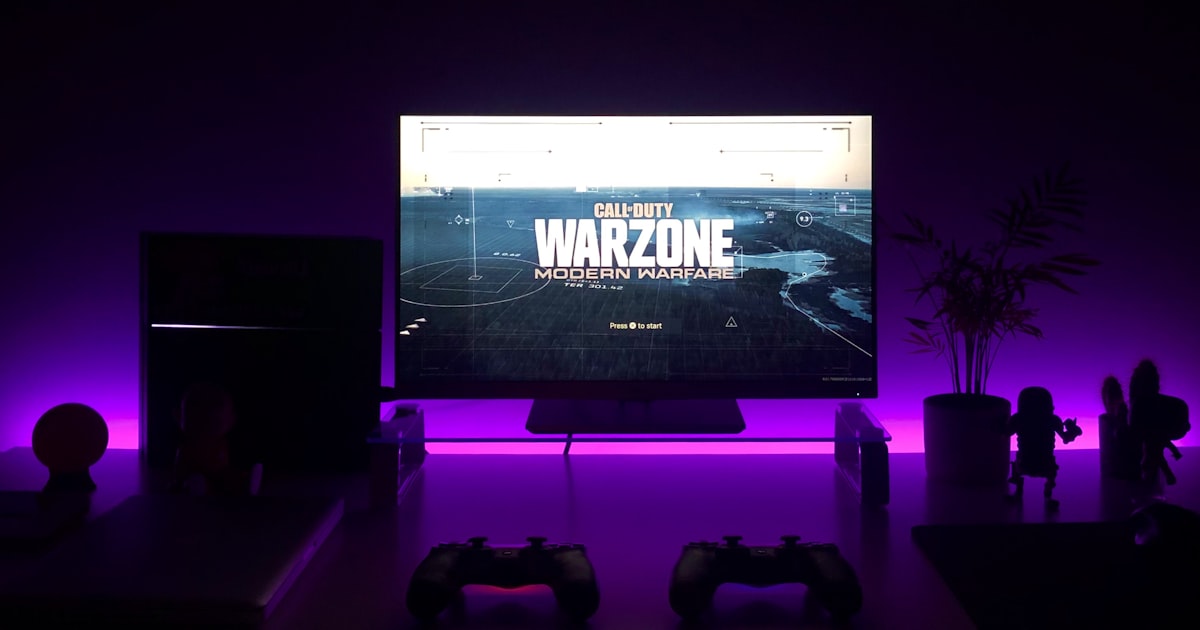
The $500 Gaming Setup That Doesn't Look Like a $500 Gaming Setup
Build a complete gaming setup for just $500 that actually looks and performs like you spent twice that amount. Here's exactly what to buy and how to make every dollar count.
Look, I get it. Every time you see a “budget gaming setup” article, it’s either recommending gear that’s actually terrible or suggesting you spend your car payment on a graphics card. Let me be real with you: you can absolutely build a gaming setup that doesn’t scream “I shopped exclusively at the bargain bin” for around $500.
The secret isn’t finding the cheapest everything. It’s knowing where to spend, where to save, and how to make smart compromises that don’t compromise your actual gaming experience.
The Smart Money Strategy
Here’s the brutal truth about budget gaming setups: most people get it backwards. They’ll spend $300 on a flashy RGB keyboard but game on a $50 monitor that makes everything look like it’s underwater. That’s like buying designer rims for a car with a broken engine.
Your priorities should be:
- Monitor first - This is what you’ll stare at for hours
- Mouse second - Precision matters more than pretty lights
- Keyboard third - Mechanical feels great, but doesn’t make you better
- Audio fourth - Good enough beats perfect here
- Aesthetics last - Make it look good after it performs well
The Monitor: Where Half Your Budget Goes (And Should)
Don’t even think about spending less than $200 on your monitor. I’ve tested dozens of budget displays, and everything under that price point will make you question your life choices. The LG 27GL83A-B 27-Inch Ultragear QHD Gaming Monitor hits that sweet spot of 1440p resolution, 144Hz refresh rate, and 1ms response time without breaking the bank.
Yes, it’s $350-400 depending on sales, but this is where you absolutely cannot cheap out. A great monitor will outlast multiple PC upgrades, and the difference between 60Hz and 144Hz is like switching from dial-up internet to fiber. Your games will feel more responsive, and honestly, you’ll probably play better too.
If 1440p pushes your budget too far, the 1080p variant is still excellent and drops the price significantly. But avoid anything advertising “curved gaming monitor” for under $150 – those things have color accuracy that belongs in a horror movie.
The Mouse: Precision Over Flash
This is where budget gaming setups usually go wrong. People either spend $15 on a mouse that’ll break in three months or $150 on something with seventeen buttons they’ll never use. The Logitech G203 Gaming Mouse costs around $40 and punches way above its weight class.
It’s got an 8,000 DPI sensor (which is overkill for most people), programmable buttons that actually matter, and RGB lighting if that’s your thing. More importantly, it feels solid in your hand and tracks accurately across different surfaces. I’ve used mine for two years of daily gaming and work, and it still feels like new.
The shape works for both claw and palm grip styles, which matters more than most people realize. A mouse that doesn’t fit your hand properly will give you cramps during long gaming sessions, no matter how many cool features it has.
The Keyboard: Good Enough Is Actually Good Enough
Here’s where I’m going to lose some mechanical keyboard enthusiasts: you don’t need a $200 keyboard to game well. The Razer Huntsman Mini 60% Gaming Keyboard gives you that clicky, responsive mechanical switch feeling without the massive price tag.
The 60% form factor saves desk space and forces you to learn some efficiency shortcuts that’ll make you faster at everything, not just gaming. The optical switches are incredibly fast and durable. Plus, at around $100, you’re getting build quality that would have cost twice that just a few years ago.
If you’re absolutely set on a full-size keyboard, look for sales on older models from reputable brands. But honestly? After using a compact layout for six months, going back to a full keyboard feels like driving a school bus after owning a sports car.
Audio: The Overlooked Game-Changer
Most “gaming headsets” under $100 are just regular headphones with a microphone duct-taped on and the word “GAMING” slapped on the box. The SteelSeries Arctis Pro Wireless Gaming Headset costs more than I’d typically recommend for a budget build, but the wireless convenience and audio quality justify the investment.
If that’s too steep, any decent pair of headphones plus a separate microphone will outperform most gaming headsets. The key is finding something comfortable enough for long sessions without making your ears feel like they’re in a vice.
For competitive gaming, being able to hear footsteps and directional audio clearly matters more than having booming bass that rattles your skull. Good audio hardware can literally give you a competitive advantage by letting you hear enemies before you see them.
The Desk Setup: Make It Look Expensive
This is where the magic happens – making your budget setup look like you spent serious money. A clean, organized desk instantly makes everything look more premium. Cable management is free, and routing your cables properly takes a $500 setup and makes it look like a $1500 one.
Get a simple desk pad or mouse mat that covers most of your desk surface. It creates visual unity and makes everything look intentional rather than thrown together. Dark colors hide wear better and make RGB lighting pop if that’s your aesthetic.
Position your monitor at eye level to avoid neck strain and create better sight lines. A simple monitor arm or laptop stand can transform both how your setup looks and how it feels to use.
Where to Find the Best Deals
Timing your purchases matters more than you’d think. Black Friday and back-to-school season obviously have great sales, but I’ve found some of the best deals happen during:
- Post-holiday clearance (January)
- Spring cleaning season (March-April)
- Mid-summer lulls (July)
Sign up for price tracking on your wish list items. I use Honey and CamelCamelCamel to track price history and get alerts when something drops. Sometimes waiting six weeks can save you 30%.
Refurbished gear from reputable sellers can be an excellent way to get premium equipment at budget prices. Just make sure there’s a return policy, because refurbished sometimes means “we wiped off the coffee stains.”
Check out our comprehensive guides for specific categories:
- Best gaming monitors for detailed display comparisons
- Best gaming keyboards for mechanical switch deep-dives
- Best gaming mice for sensor and grip style guides
- Best gaming headsets for audio quality breakdowns
The Upgrade Path
One advantage of starting with a solid budget build is having clear upgrade paths. Your monitor should last through multiple setups. Your mouse and keyboard can easily transition to a higher-end rig. Start with the fundamentals and upgrade components as your budget allows.
Don’t feel pressured to build everything at once. It’s better to have one really good component and upgrade around it than to have five mediocre pieces that all need replacing in six months.
Common Mistakes That’ll Cost You
Mistake #1: Buying everything from the same brand thinking it’ll work better together. Mixing and matching often gets you better value.
Mistake #2: Prioritizing RGB over performance. Pretty lights don’t make games run better.
Mistake #3: Skipping reviews from actual users. Marketing copy lies; Amazon reviews with photos don’t.
Mistake #4: Buying extended warranties on peripherals under $100. Your credit card probably already covers you.
Mistake #5: Assuming wireless is always better than wired. Sometimes the cable version of the same product is half the price and works just as well.
Also check out these related category guides for expanding your setup:
- Best gaming chairs for ergonomic seating options
- Best gaming desks for workspace optimization
- Best gaming mousepads for surface precision
Making It Your Own
The best part about building a setup piece by piece is making it reflect your style. Maybe you’re into clean minimalism, or perhaps you want every surface to glow like a rave. The foundation stays the same: prioritize performance, then add personality.
Consider your room’s lighting when choosing RGB colors. Cool blues and whites look great in natural light but can make your space feel cold at night. Warm oranges and reds create a cozy gaming cave feeling but might clash with daylight.
What We Recommend
After testing dozens of budget gaming setups, here’s our winning combination:
Essential Core Setup ($500 range):
- LG 27GL83A-B 27-Inch Gaming Monitor - The display that makes everything else worth it
- Logitech G203 Gaming Mouse - Precision without the premium price
- Razer Huntsman Mini Gaming Keyboard - Mechanical switches that actually feel premium
If Your Budget Allows:
- SteelSeries Arctis Pro Wireless Headset - Game-changing wireless audio
Complete Your Battle Station:
- Best gaming monitors - Compare all display options
- Best gaming mice - Find your perfect grip match
- Best gaming keyboards - Mechanical switch masterclass
- Best gaming headsets - Audio advantage breakdown
- Best gaming chairs - Comfort for marathon sessions
Remember: the best gaming setup is the one you actually use consistently. Don’t let perfect be the enemy of good enough. Start with solid fundamentals, upgrade over time, and most importantly – have fun with it.
Your setup should motivate you to game more, not stress about whether you have the “right” gear. Build something you’re excited to sit down at every day, and you’ve won regardless of the price tag.
Related articles

Best Products for Your Console Gaming Room: Essential Gear for 2026
Create the ultimate console gaming experience with our expert guide to the best TVs, chairs, audio systems, and accessories. Transform your living space into a gaming paradise.
Best Products for Your Retro Gaming Setup: Essential Gear for Classic Gaming
Build the perfect retro gaming setup with our comprehensive guide to the best retro consoles, displays, controllers, and accessories. Experience classic gaming like never before.

The Ultimate Gaming Desk Setup Guide: Essential Products for 2026
Transform your gaming space with our expert guide to the best gaming desk setups. From ergonomic desks to monitor arms and cable management, discover everything you need for the perfect gaming station.